 DueThread
The promise and the chase are different dates
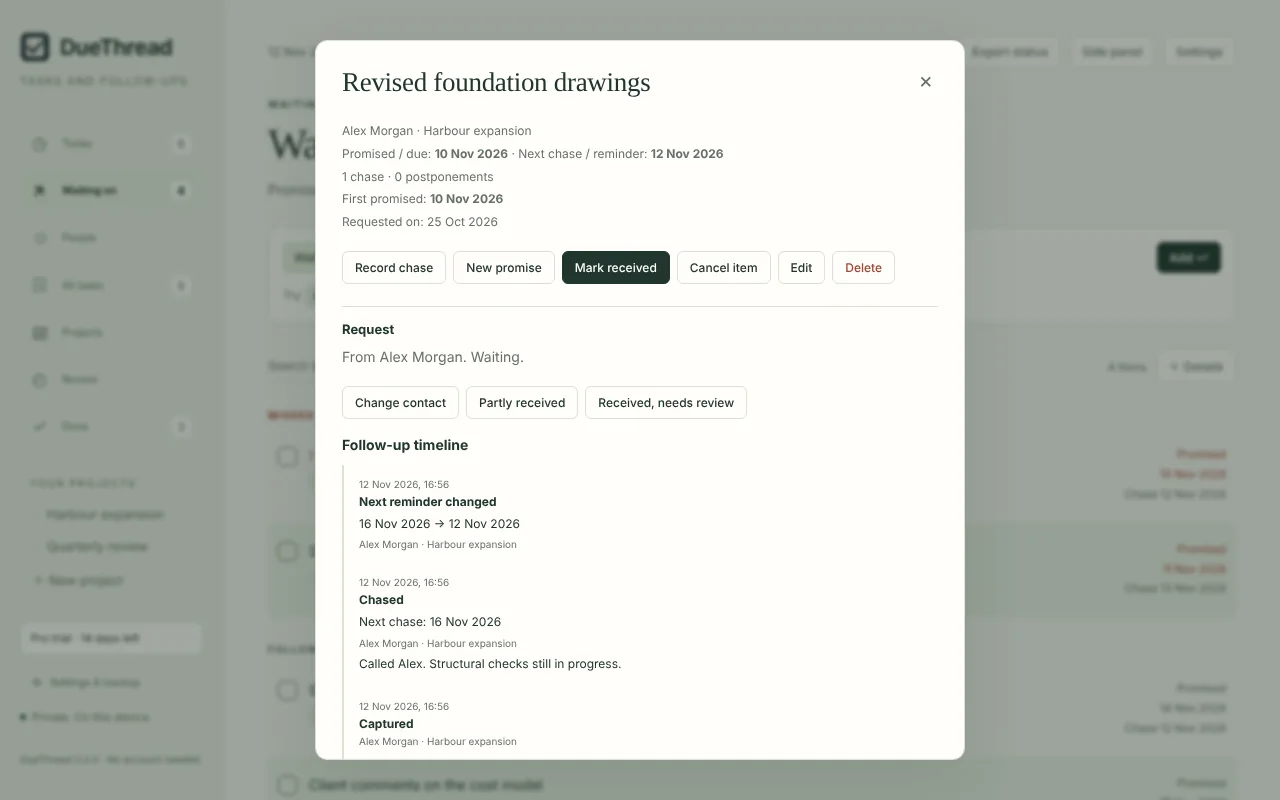
When a supplier promises revised drawings by Friday, Friday is the deadline. You might want to check in on Wednesday. Most task lists hold one date, so one of those gets lost.
DueThread records both. Chasing moves the next chase date, not the deadline. If the date slips, you record a new promise and the first one stays in the item's history.
Workflow tracking
When a deliverable depends on several people
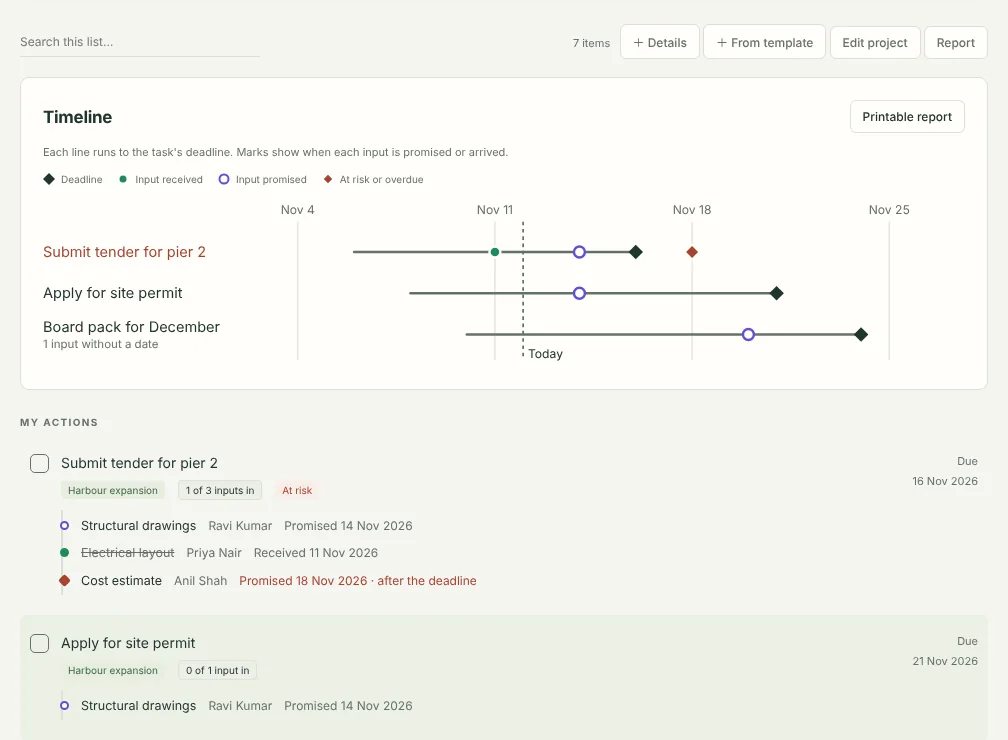
A tender can't go out until the estimate, the approval and the drawings are in. DueThread lets you ask each person for their input against the task it feeds, and link the work that has to come first.
- See how many inputs each task has in, with each one listed underneath and who owes it.
- Get warned when an input is promised after the deadline it feeds, is overdue, or has no date close to the deadline.
- Record partial deliveries, and inputs that arrived but still need checking.
- When something arrives, see which tasks it unblocks.
Free on three open tasks at a time; your tasks and follow-ups themselves have no limit. DueThread Pro tracks every task and adds each person's promise record, chase messages, templates and project reports. Every install includes 14 days of Pro to try.
Today, in one list
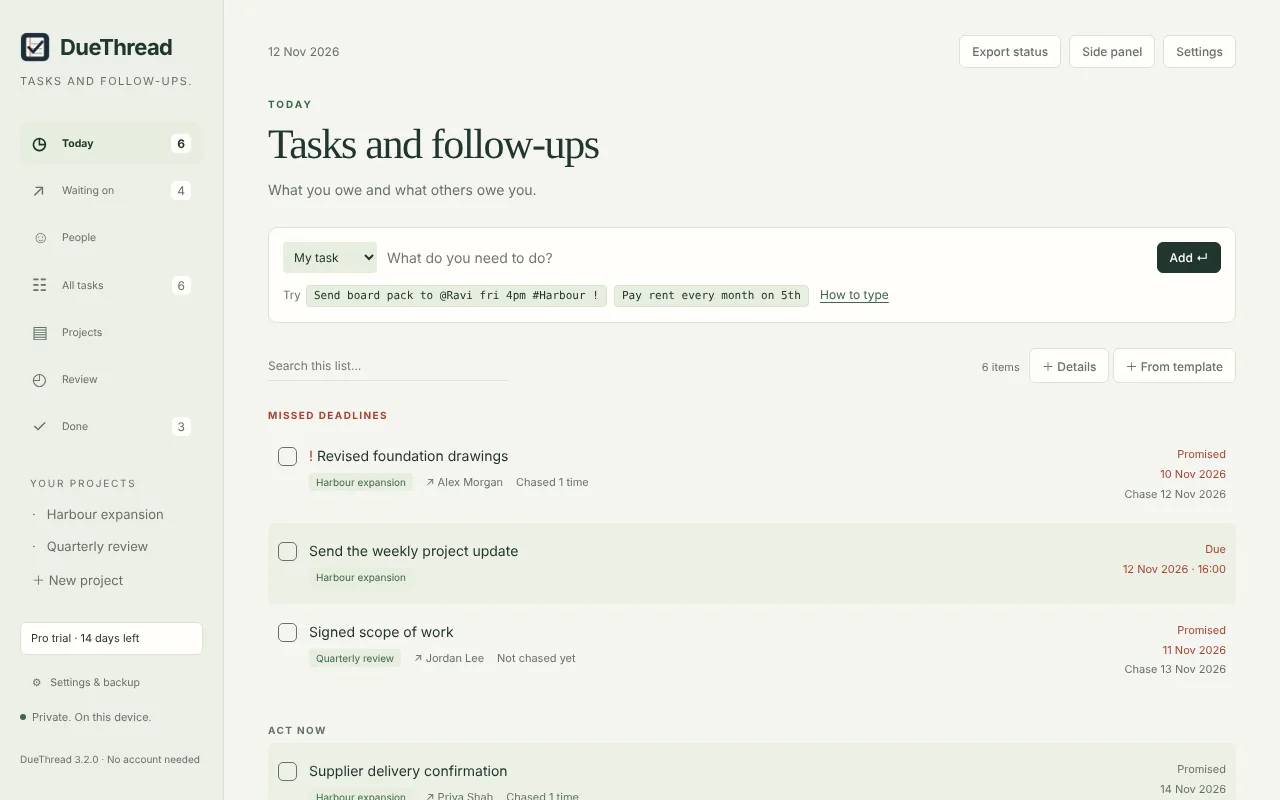
Missed deadlines come first, followed by the follow-ups to chase today and the tasks you owe. Each item can be marked chased, given a new promise or snoozed from the list.
Type an item in one line. @Alex revised drawings fri records that Alex owes you the drawings by Friday and sets the first chase; #Harbour files it in a project. The line under the add bar shows how it was read before anything is added, and Undo is there if it wasn't what you meant.
Capture without leaving the page
- Open DueThread from the toolbar, or press Alt+Shift+D.
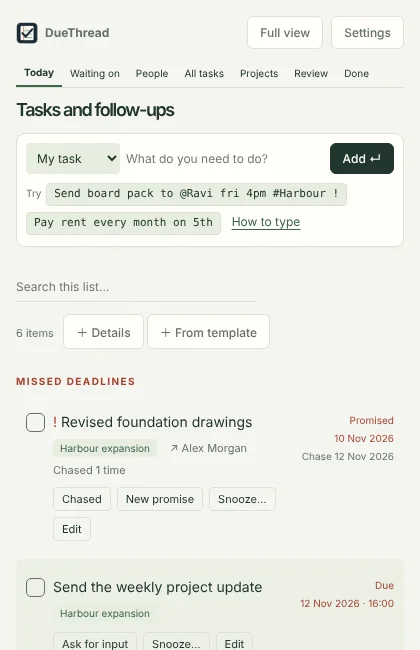
- Keep it in Chrome's side panel, next to the email or document you are working from.
- Select text on any page, right-click and add it as a task or follow-up, with a link back to the page.
- Type
dut, a space and your item in the address bar.
See what is stuck
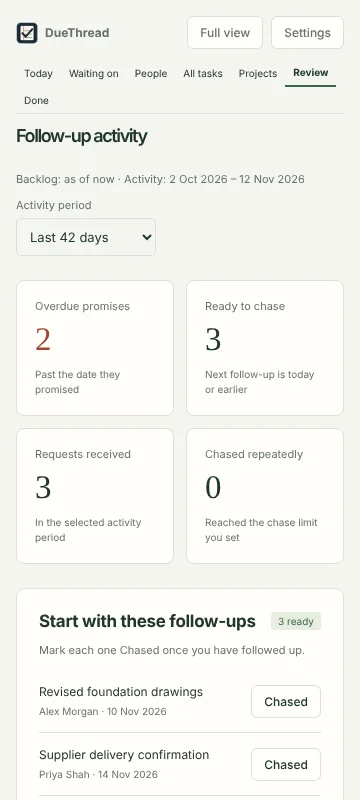
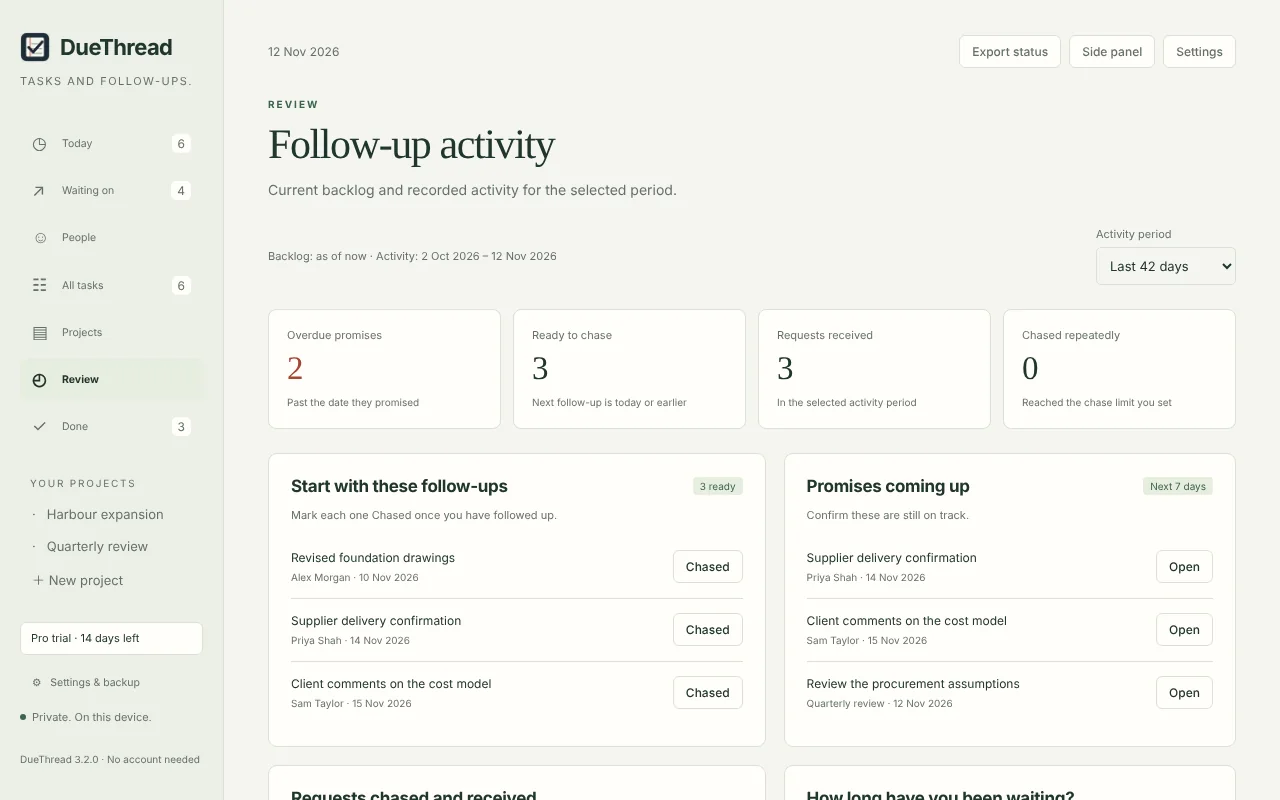
The review shows what is past its promised date, what is ready to chase, what has arrived in the period you choose, and which requests you have chased repeatedly without result.
Projects that have gone quiet are flagged. A project status update can be copied straight into an email or report.
Built to stay out of the way
Reminders on your terms
Deadline and chase reminders run separately. Choose gentle or persistent reminders, set quiet hours and get a morning summary of the day.
Private by design
No account and no sign-in. Everything stays in your Chrome profile on your computer. Nothing is sent to any server, and there are no ads or analytics.
Projects that file themselves
Give a project its names and short codes, and new items that mention them are filed automatically. You can always move an item.
Your data, your copy
Export a backup file at any time and import it on another computer. Removing the extension removes its data, so export first.
DueThread is free, with no limit on tasks or follow-ups. DueThread Pro removes the three-task limit on workflow tracking and adds each person's promise record, chase messages, workflow templates and project reports, for US$29 a year, paid once. Every install includes a 14-day Pro trial.
Good to know: reminders appear while Chrome is running. A task can wait on several people; each request tracks one of them. There is no sync or mobile app.